 After Effects and
  Premiere
Animated captions from your audio, timed word by word, with ready-made presets. Plus emojis, sound FX, media, silence cutting, auto zoom, and AI, in one plugin.
No credit card required · buy once, no subscription
No captions available
Open your timeline, then transcribe its audio or import a caption file.
Everything you need to caption
From transcript to finished animated captions in one panel, with every word synced to the speech. Presets, motion, media, and tools all included.
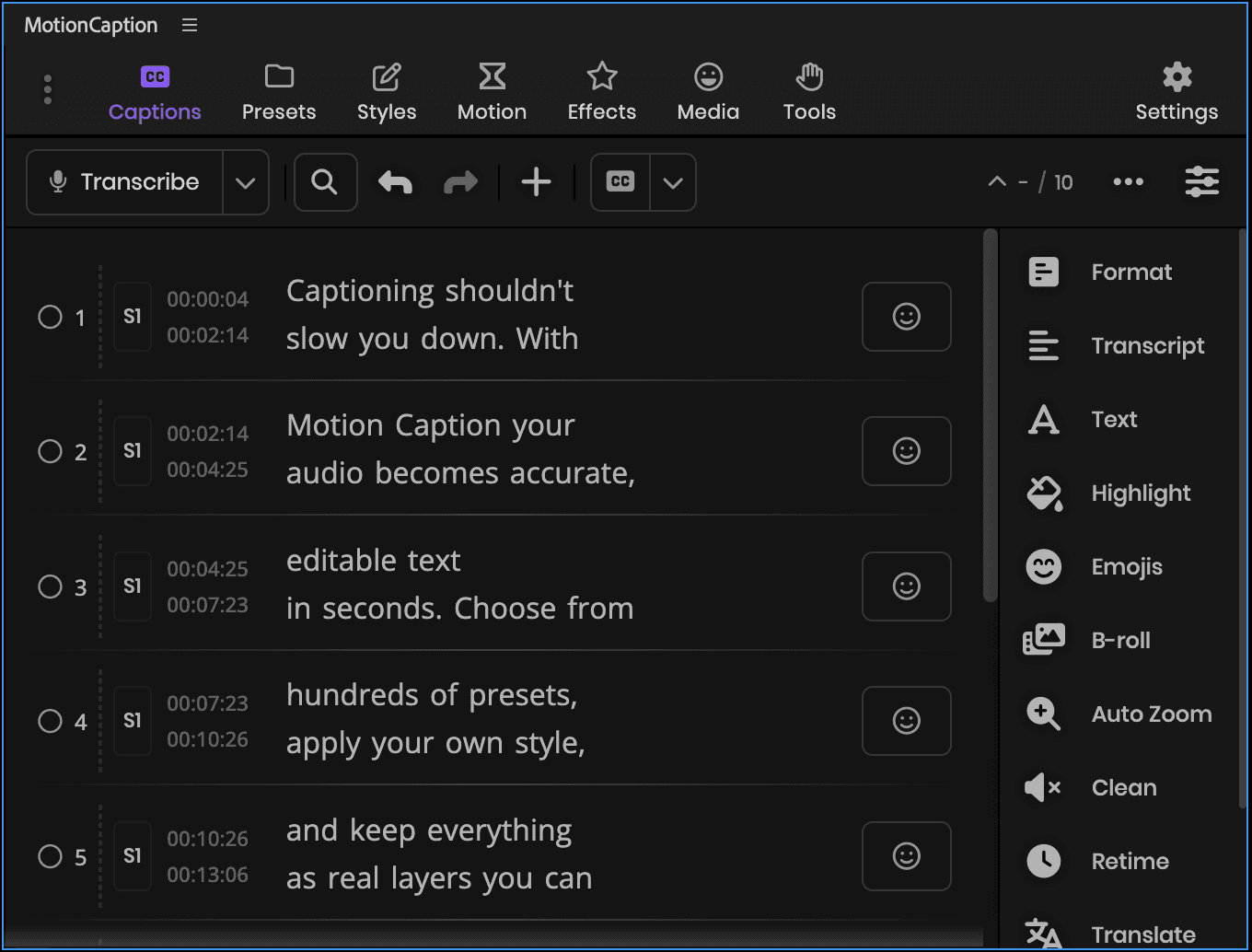
Captions panel
Edit, format, enhanceenhanceHighlightSupersizeZoomChaptersEmojisRemove silencesPaper editViral momentsRetimeText transformRemove punctuationB-roll, import, export
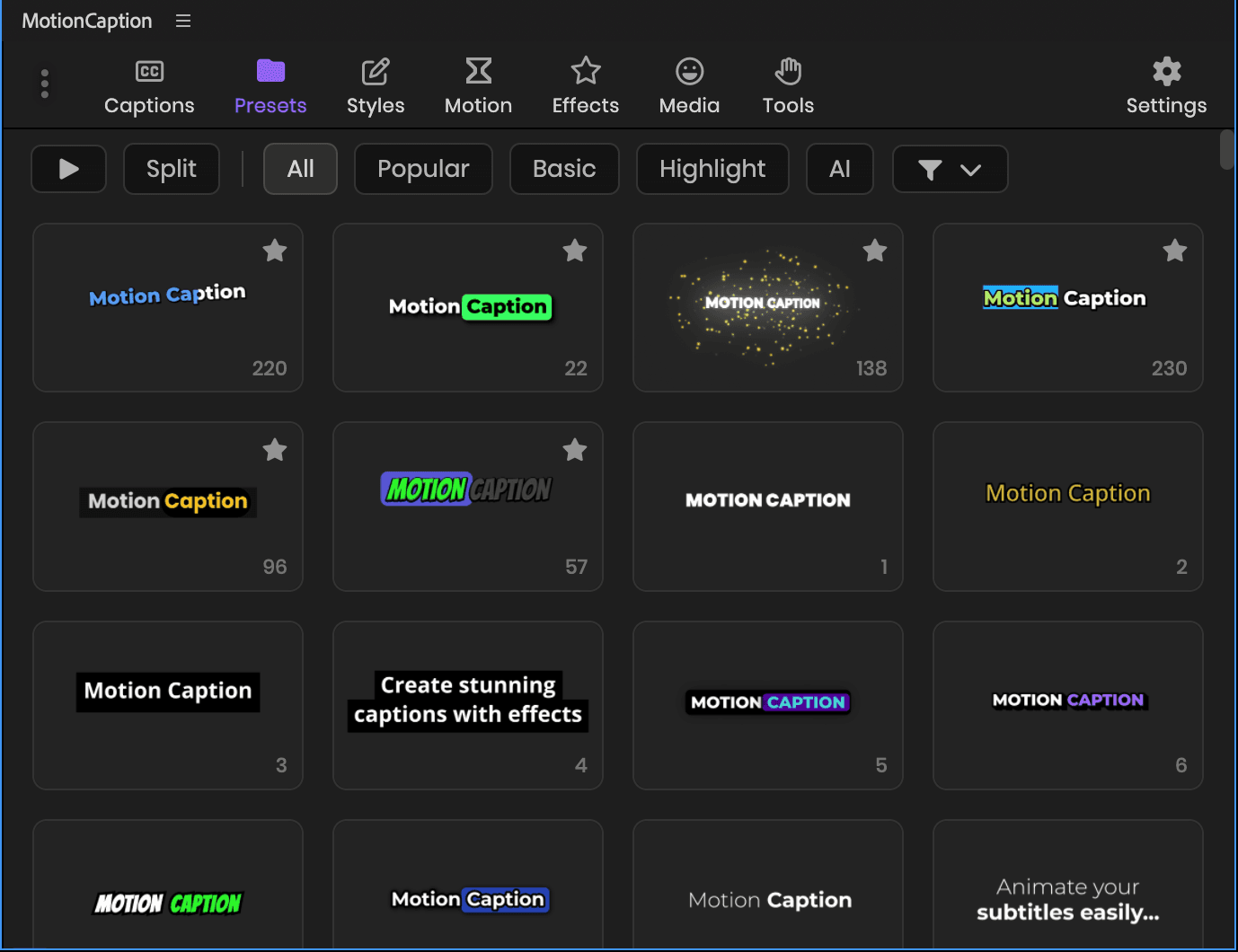
Animated presets
Ready-made looks, or generate your own
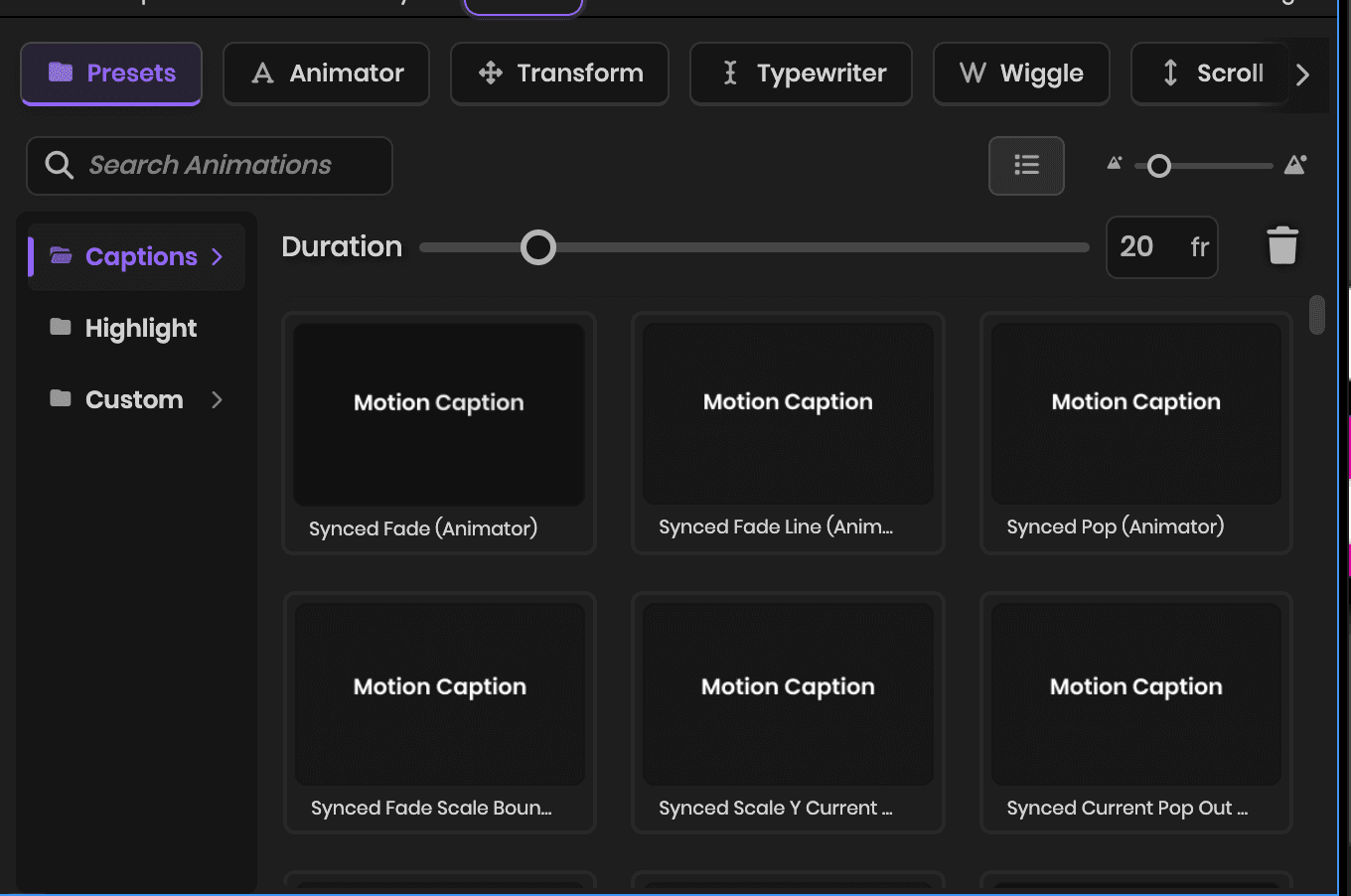
Motion toolkit
Animation, styles, effects, transitions, highlights
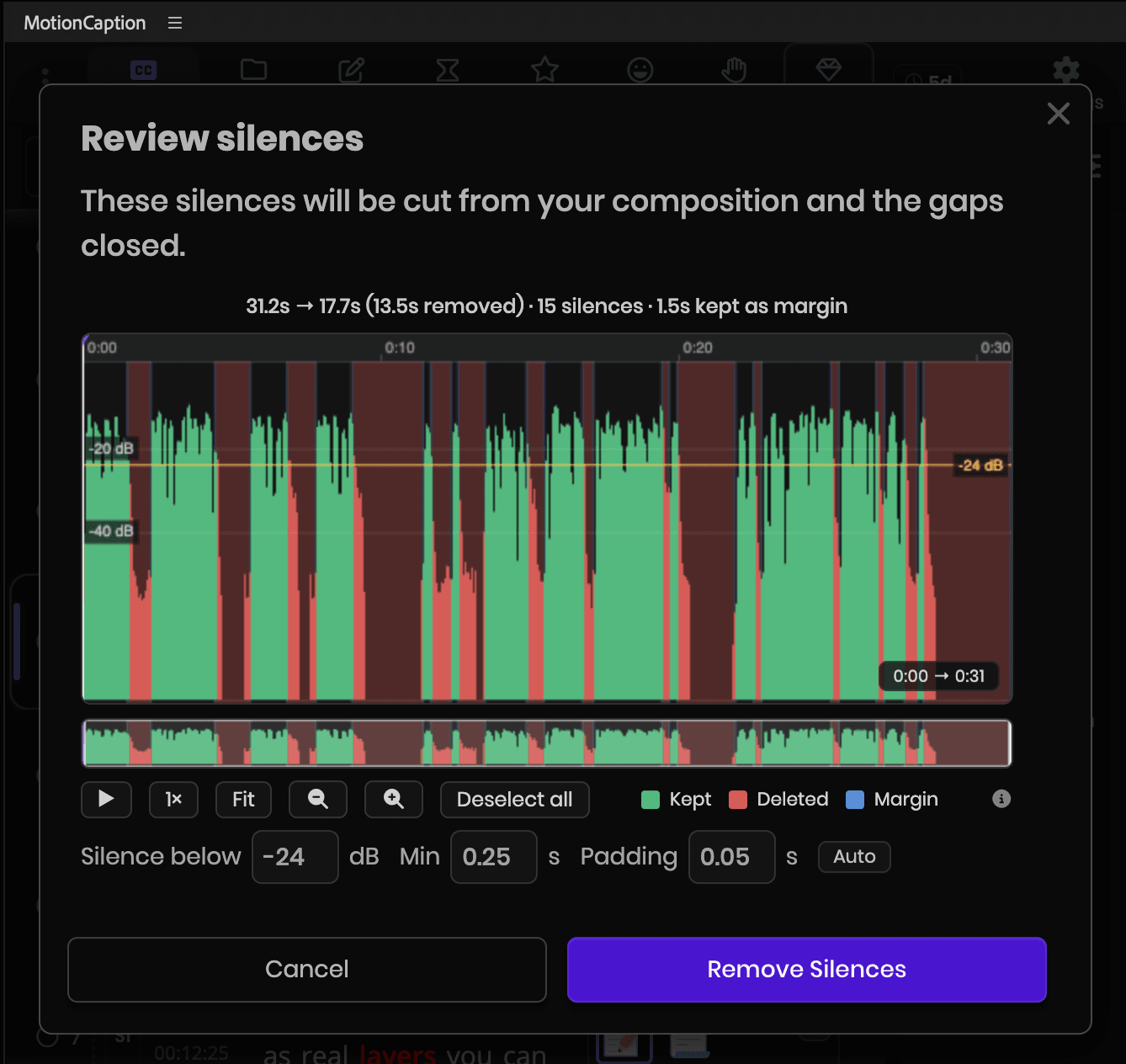
Editing
Cut dead air, edit from the transcript, find moments
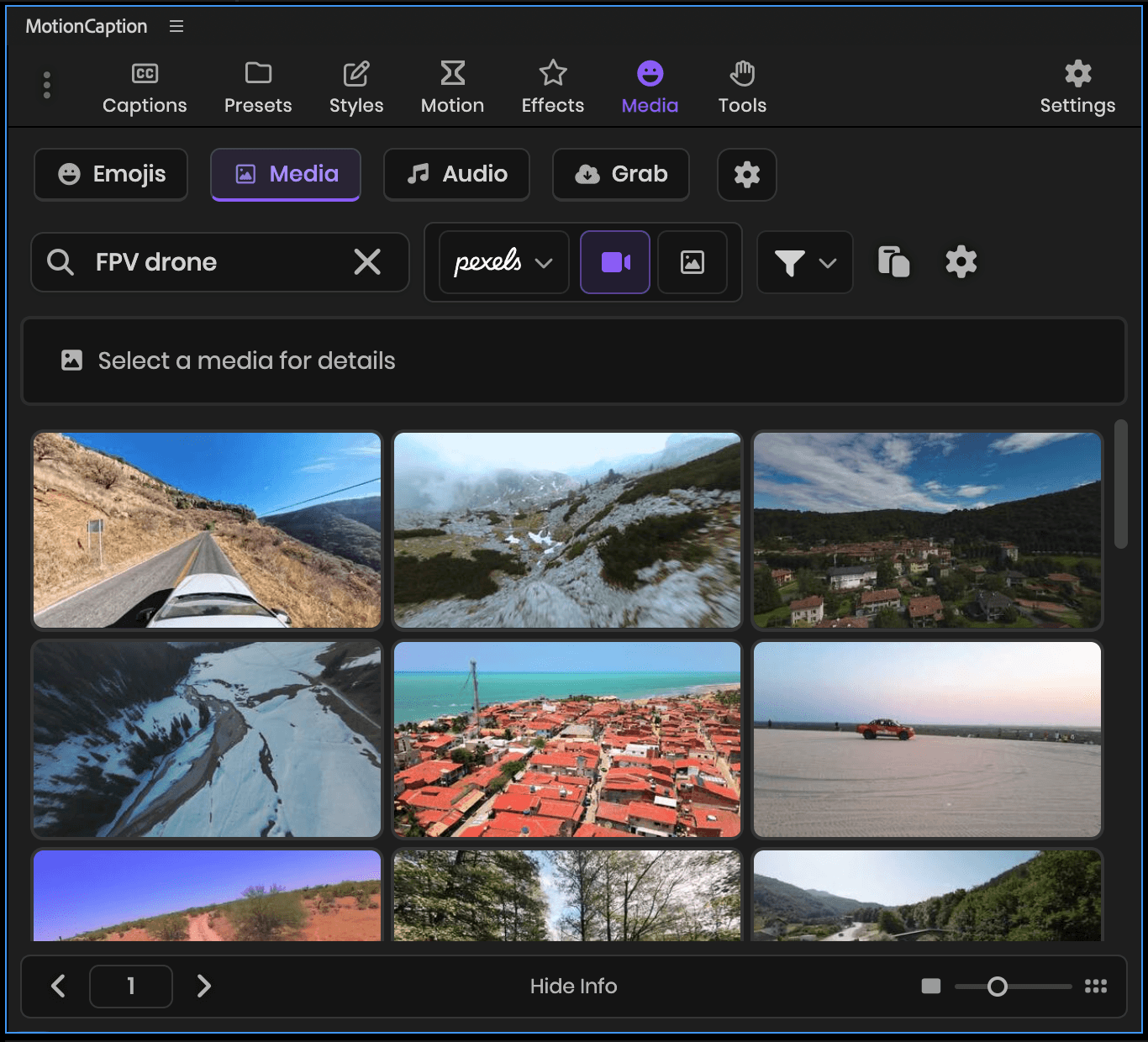
Media
Your files, icons, emojis, stock on Pro
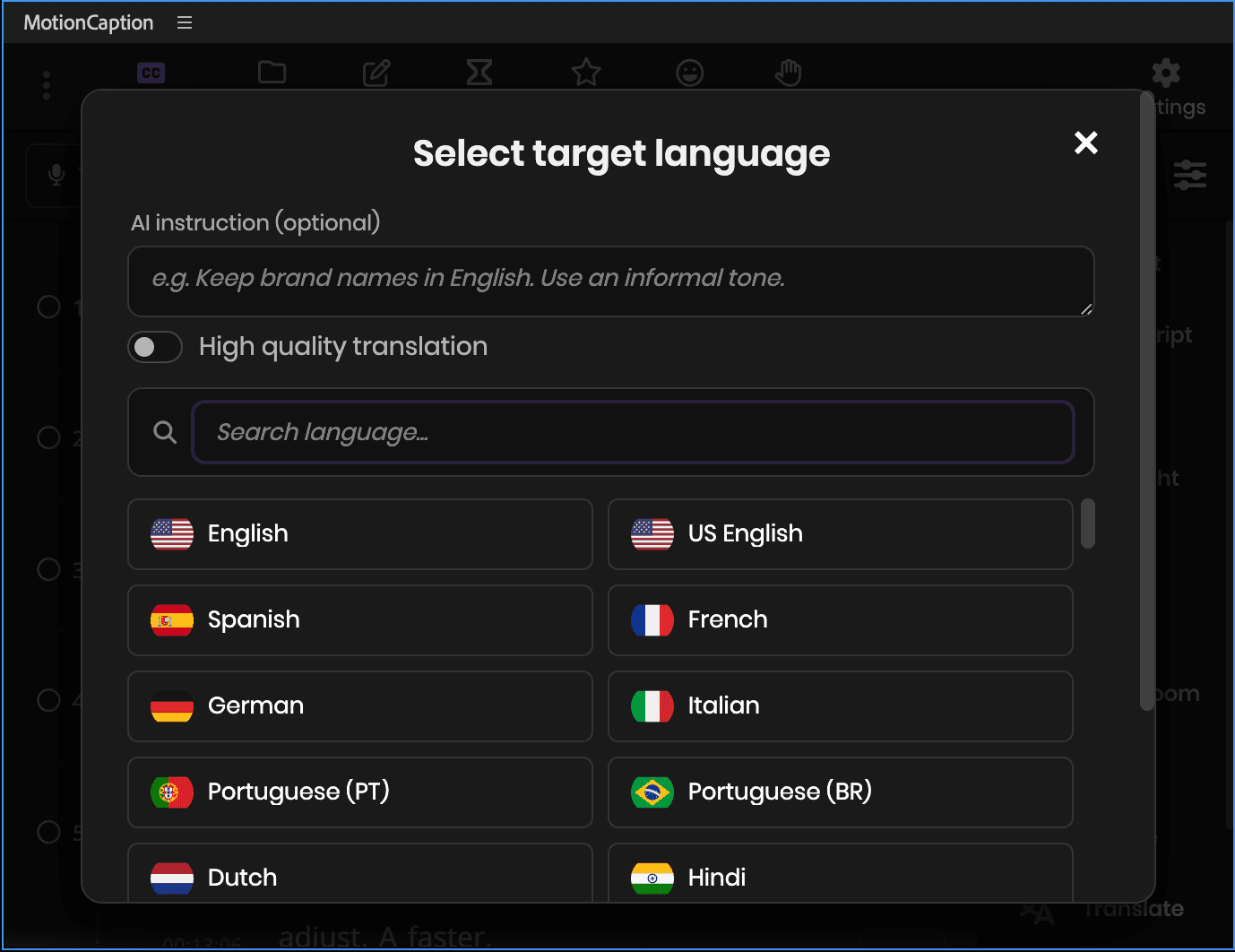
AI tools
Transcribe, translate, format, AI suggestionsAI suggestionsHighlightSupersizeZoomChaptersEmojisViral momentsB-roll on Pro
Old way vs MotionCaption
After Effects has no captions built in, and Premiere's stop at one word-by-word style. MotionCaption builds them from your audio in a few clicks.
Animated caption presets
with editable styles
Inspired by real short-form videos. Start from one, then make it yours.
Browse the full MotionCaption preset library.
Every preset is editable. In After Effects, every property is.
How captions land
Here is what you get on your timeline in each host. You can also make captions without a preset.

Every preset builds native After Effects text layers.
Text Layer
Plain native text layers, fully editable. Split them per word, per line, or per caption, or keep everything on one layer.
Your Custom Composition
Use your own After Effects composition as the caption look, instead of picking from the library.

Every preset rides on one MotionCaption MoGRT.
One MoGRT for all captions
Every caption rides on a single MoGRT clip, and each can still have its own style. One click bakes the track to PNG for instant playback.
Fast Captions
Captions placed as images on their own track, so Premiere plays them back without rendering. Word highlights included.
One click, captions on your timeline
Pick a preset and apply. MotionCaption builds animated captions from your transcript and drops them on your timeline. In After Effects, every caption is a native text layer you can edit. In Premiere, the whole caption track sits on one MoGRT clip that you restyle from the panel.
See the captions panelMake it yours, then reuse it
Right-click any preset to open its settings. Change colors, fonts, boxes, and timing, then save it as your style. Next time, one click brings your look back.
See moreDrop media right on your playhead
Add stock clips Pro, your own footage, icons, and emojis. They land at the playhead, positioned and scaled, ready to go.
What is includedThe boring parts, done for you
The repetitive work in every edit, handled in the panel. Transcribe offline, unlimited, or get cloud AI's accuracy for 1 credit per started minute.
Captions
Style
Editing
Publishing
Captions timed word by word with cloud AI
Cloud AI gives the most accurate words and timing, and can separate two speakers. Local Whisper runs offline on your own machine, with no credits.
One purchase, the whole toolkit
Bought separately, this is what it takes.
Also included: a caption editor, effects, transitions and filters, a preset editor, change every caption at once, fonts and icons, priority support and 1 year of updates.
Less than a caption plugin, on its own
Pro adds stock media, AI presets and more AI usage every month, for $15 a month. A stock media subscription and an AI captioning tool alone run about $49 a month elsewhere.
Start free. Own it or go Pro.
Free for 7 days. Then pay once and own it, or go Pro for AI.
- Everything in Pro, including stock media and Auto B-roll
- Each tool you try adds a day, up to 14 days
- 50 AI credits, about 50 minutes of cloud transcription
- Unlimited transcription on your machine, offline, no credits
Founding price until November 30
- Animated caption presets: 330+ in After Effects, 80+ in Premiere
- The full toolkit: 150+ styles, plus every animation, effect, transition and filter
- Save every style, preset, palette and curve for the next project
- Grab media from a link, and export SRT with the caption timings
- AI usage to get started400 credits (one time), which is about 6.7 hours of cloud transcription.
- AI suggestions, chapters and social titlesIncluded for 1 year, the same time as your updates. Up to 50 runs a day.
- Devices
- 2 machines
- Updates and priority support
- 1 yearOptional renewal at $24.99 a year for another year of updates, priority support and AI suggestions that use no credits. Without it, you keep the version you have and your licence does not expire. There is no subscription.
14-day money-back · Secure Stripe checkout
- Everything in MotionCaption, plus:
- More AI usage, every month800 credits a month, which is about 13 hours of cloud transcription.
- Credits every month for cloud transcription and translation in 99 languages
- More precise word timing with cloud transcription, so presets that animate per word stay in sync with speech
- AI Auto B-roll suggestions
- Stock media: Pexels, Pixabay, Openverse
- One click AI presets
Need more AI usage?
You can buy more AI credits. Packs start at $4.99 for 200 credits, about 3 hours of cloud transcription. If you have the one-time licence or Pro, buy them in the panel or your dashboard.
Buy it once.
It stays yours.
The licence comes with 1 year of updates and AI usage to get you started. Pro adds more AI usage every month, plus stock media. Cancel it any time.
Version 1.3.0, shipped Oct 13, 2026. Updates install from inside the panel.See what changed
Frequently Asked Questions
Short answers to the most common questions.
No. Everything happens in the MotionCaption panel: transcribe, pick a preset, generate. If you do know After Effects, the captions arrive as real text layers, so you can take them further.
Two steps. In the Captions panel, transcribe the audio of your open composition or sequence. Then open the Presets tab, pick a look, and generate. The captions land on your timeline. Restyling, emojis, and effects are optional.
Yes. MotionCaption runs inside Premiere (2023+) and After Effects (2023+). In Premiere you transcribe, pick one of the 80+ caption looks in the panel, and generate on your timeline. A few After Effects presets and tools require After Effects 24.3 or later.
On a Mac there is a one-click installer: close After Effects or Premiere, run it, then reopen the app and open Window, Extensions, MotionCaption. On Windows you drop one file, MotionCaption.zxp, into a free ZXP installer, then reopen the app and open the same menu. The guide shows every step.
Read the installation guideYes. Right-click any preset to open its settings: text styles, highlights, backgrounds, animations, effects, and transitions. Those settings also hold the Style Generator (the Random button), which makes new looks from that preset. In After Effects the captions arrive as native text layers, so anything After Effects can do to a text layer, you can do to a caption. Use the Styles tab to edit caption styles. If you already have your own design, Custom Composition in After Effects uses your composition as the caption look.
You get two options, both covering 99 languages. Transcription on your own machine is free, unlimited, and works offline. Cloud transcription is the more accurate of the two, both on the words themselves and on per-word timing. It runs on AI credits, and the free trial and both paid plans start with some.
MotionCaption is a paid plugin with a free Pro trial, no card needed. It runs 7 days, up to 14 as you try the main features, with every preset, stock media and 50 AI credits. After that, buy once for the core features, with 400 AI credits included, or subscribe to Pro for 800 credits a month and stock media.
No. Captions, the preset library, styles, animation, effects, editing and transcription on your own machine are all in the one-time licence, with no recurring fee. The cloud tools are not a Pro feature either: cloud transcription and translation run on AI credits. The licence comes with 400 to start, and you can buy more in credit packs from $4.99. The small AI suggestions (emoji, highlights, supersize, Auto Zoom) use no credits while your updates are active. What Pro adds is a monthly allowance that renews, plus stock media. You can make finished animated captions without ever subscribing.
Ask us. Support covers setup, your Adobe version, and how to get a look you have in mind. Basic questions are welcome, and asking before you buy is fine too. Max, the editor who built MotionCaption, answers support himself.
Ask a question14-day money-back guarantee. Reach support within 14 days of purchase and we'll refund you in full. Want to confirm fit first? Start the free trial, no card needed.
Caption your next video today.
14-day money-back guarantee